XingLian Quant Terminal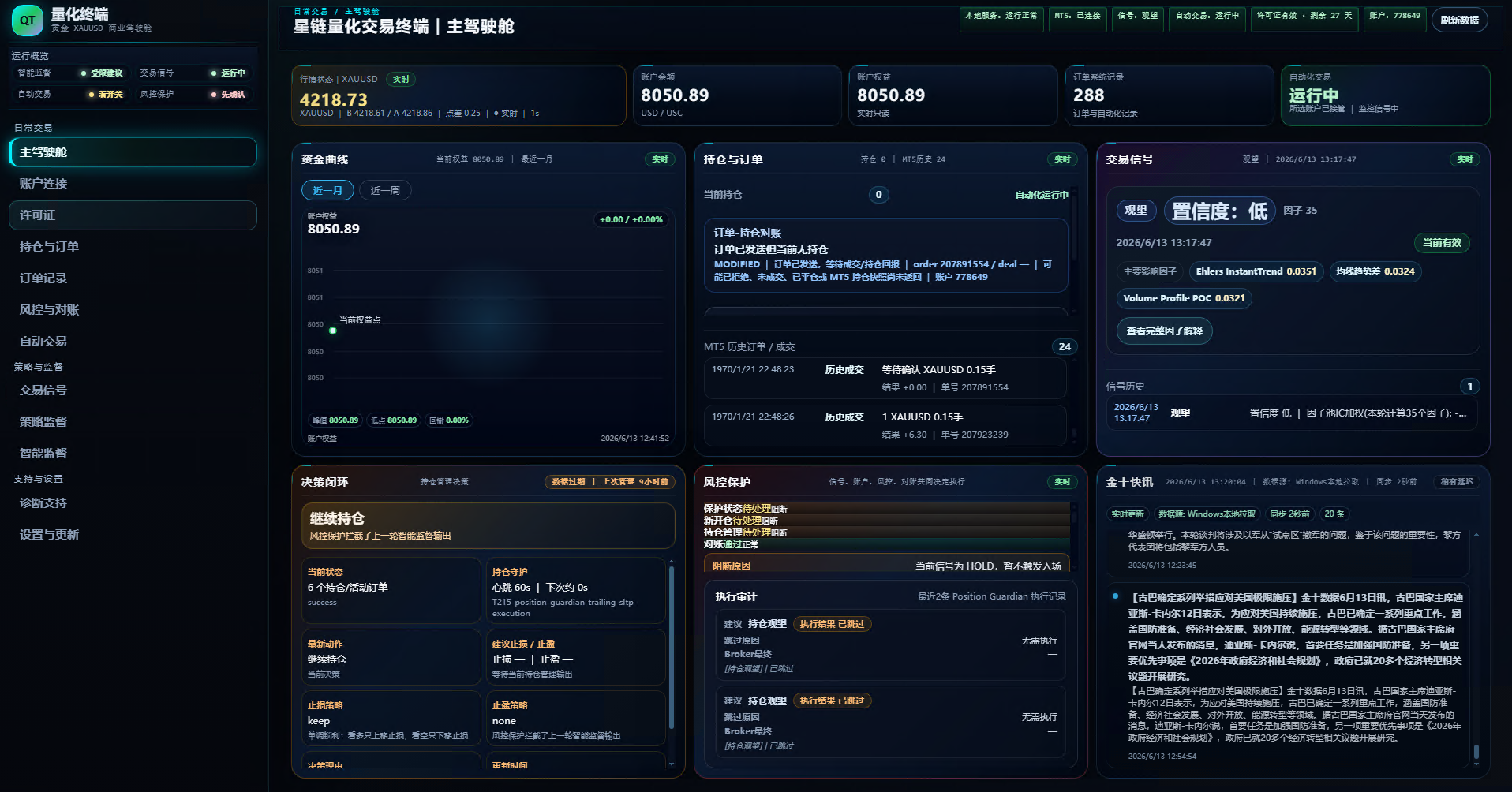
Quant Terminal
A unified terminal dashboard for account overview, signal review, risk protection, subscription state and support access.
This view uses a real XingLian Quant Terminal client screenshot to show how account overview, signal review, risk guard and support entry come together. Client and download access follow your XingLian subscription state.
Customer path
From account setup to terminal access
Start on the website by creating your account and confirming subscription. Then sign in to the terminal with the same account to review subscription state, account connection, risk settings and support.
What customers can see
The main cockpit brings equity curve, positions and orders, signals, risk protection, market news and support entry into one interface, reducing status hunting across screens.
What to check before use
After subscription and client access are complete, client access follows your account status. Before using the terminal, confirm account connection, market environment, risk settings and your own operating arrangement in the client.
Next step
Complete account setup and client access before opening the terminal
If your subscription is confirmed, download the client and sign in with the same website email and password. New accounts require a complete invitation link shared by an existing user.